


The Ultimate Guide to Website Designing Without Coding
Building a modern website used to require months of complex software engineering, custom backend scripts, and heavy technical budgets. Today, mastering website designing without coding allows anyone—from small business owners to creative freelancers—to build a fast, secure, and professional site in just hours. Modern visual tools have made web designing intuitive, flexible, and completely code-free.
Key Takeaways
- No Coding Needed: Visual drag-and-drop website builders have eliminated the barrier to entry for digital web creation.
- Cost and Time Savings: Launching a custom site takes days instead of months, reducing upfront development costs by thousands.
- No-Code IT Careers: Non-technical tech careers like UI/UX design, Webflow development, and product management pay highly without requiring software engineering.
- Responsive by Default: Leading visual site builders automatically generate clean code optimized for smartphones, tablets, and desktop displays.
The Evolution of No-Code Web Design
For decades, getting a business online required writing raw HTML tags, styling layouts with intricate CSS rules, and managing backend databases. A single missing semicolon could break an entire page layout.
Today, visual web platforms translate your design actions directly into clean, standards-compliant code behind the scenes. When you drag an image onto a canvas, adjust line height, or align text blocks, the software writes the underlying code for you.
| Workflow Type | Step 1 | Step 2 | Step 3 | Final Step |
| Traditional Web Coding | Design Sketch | Manual HTML/CSS Coding | Server Configuration | Site Deployment |
| Modern No-Code Design | Visual Builder Canvas | One-Click Publish | — | — |
This structural shift has democratized the web. Individuals without computer science degrees can now launch functional web apps, corporate portals, and e-commerce stores effortlessly.
Major Advantages of Visual Web Building
Going the no-code route is no longer a compromise—it is often the smartest strategic choice for new ventures and growing brands.
- Unmatched Speed to Market: Launch landing pages, event sites, or full business domains in days rather than waiting on developer queues.
- Complete Content Independence: Update blog posts, change pricing tiers, or swap out seasonal banner photos instantly without submitting support tickets.
- Built-in Security and Hosting: Most modern visual web platforms handle SSL certificates, server maintenance, and automatic software updates automatically.
- Lower Operational Overhead: Eliminate ongoing maintenance contracts for routine bug fixes and site updates.
“The future of coding is no code at all.” — Tech Industry Consensus
IT Jobs That Require No Coding
Many people assume working in the information technology (IT) sector requires writing lines of code every day. In reality, the rapid expansion of the digital economy has created dozens of high-paying non-technical IT roles.
If you love technology and web aesthetics but dislike syntax and software logic, several rewarding career paths exist.
video
Comparing Coding vs. Non-Coding Tech Careers
| Coding-Intensive Roles | Non-Coding / Visual Roles |
| • Backend Software Engineer | • UI/UX Visual Designer |
| • Full-Stack Web Developer | • No-Code Webflow Designer |
| • Systems Architect | • IT Scrum Master |
| • Embedded Systems Programmer | • Digital Product Designer |
Top Non-Coding Roles Explained
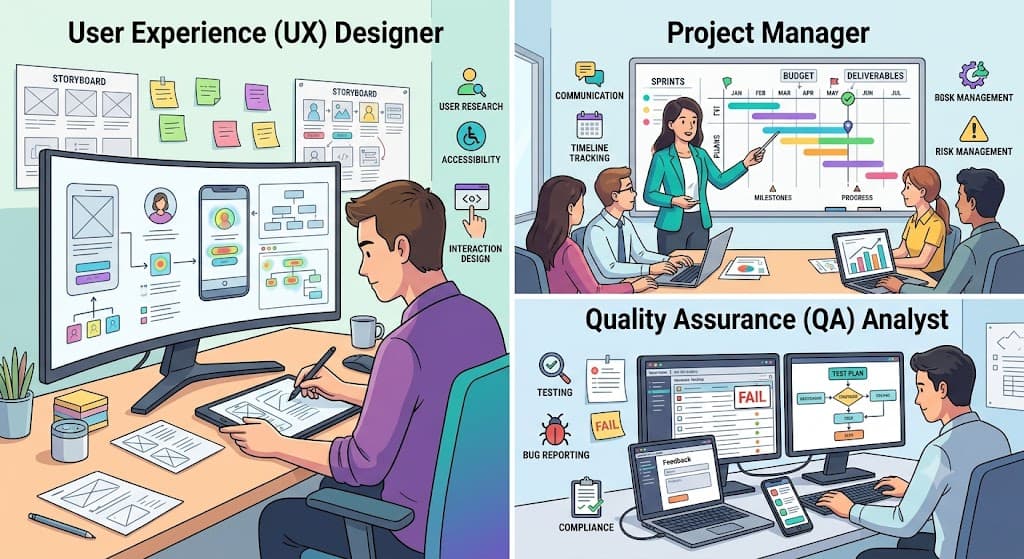
- UI/UX Designer: Focuses on user interfaces, user journeys, visual wireframes, and digital product aesthetics using tools like Figma or Adobe XD.
- No-Code Developer / Webflow Specialist: Builds custom, high-end websites and automation workflows exclusively using visual design platforms and visual integration tools.
- IT Project Manager: Coordinates software teams, tracks project deliverables, and manages client expectations without writing code directly.
- Product Marketing Manager: Shapes product positioning, marketing messaging, user onboarding flows, and go-to-market strategies.
- Digital Analytics Specialist: Focuses on analyzing website user behavior, conversion funnels, and traffic trends using reporting tools.
Top Website Builders Without Coding
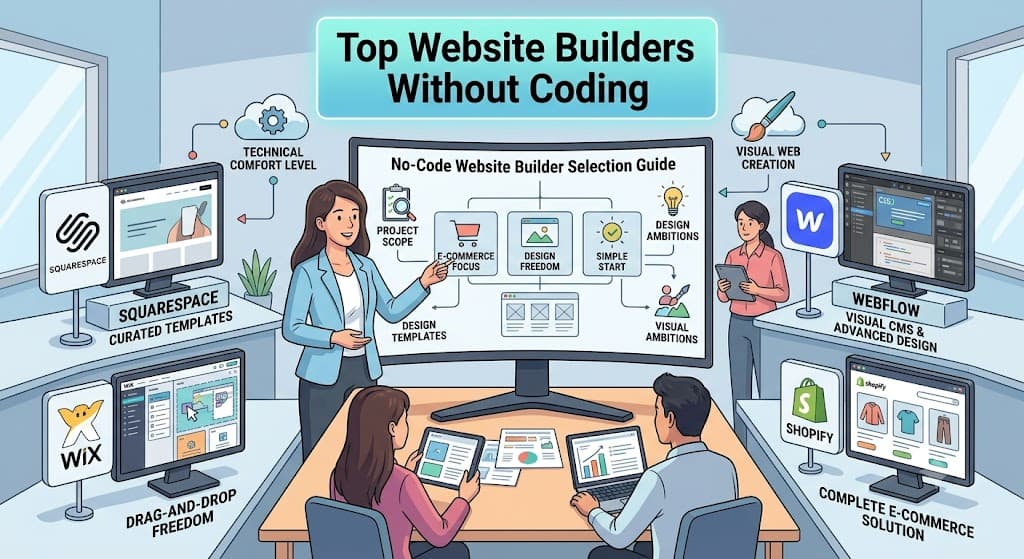
Choosing the right website builder without coding depends entirely on your project scope, design ambitions, and technical comfort level. Below is an overview of today’s leading visual web creation platforms.
1. Webflow
Webflow is a professional visual design canvas built for designers and agencies who want complete layout control without writing code manually.
- Best For: Agencies, freelancers, and growing tech startups wanting custom layout freedom.
- Key Strengths: Advanced CSS layout control (Flexbox and CSS Grid), native dynamic CMS, and smooth visual animations.
- Learning Curve: Moderate; requires understanding basic design concepts like margins, padding, and block elements.
2. Wix
Wix is one of the most accessible drag-and-drop website building platforms available today, serving over 200 million users globally.
- Best For: Beginners, local small businesses, and quick portfolio sites.
- Key Strengths: True drag-and-drop editing, massive template library, and built-in AI design assistance.
- Learning Curve: Low; ideal for absolute beginners who want to build quickly.
3. Framer
Framer brings a visual editing workflow similar to Figma directly to the browser, allowing designers to publish interactive, animated sites quickly.
- Best For: Startups, SaaS landing pages, and interactive designer portfolios.
- Key Strengths: Native component support, interactive animations, and responsive canvas editing.
- Learning Curve: Low to Moderate for those familiar with design software.
4. Squarespace
Squarespace provides highly polished, modern design templates tailored specifically for creatives, local businesses, and content publishers.
- Best For: Photographers, restaurants, boutiques, and lifestyle bloggers.
- Key Strengths: Clean typography, curated layouts, and integrated scheduling and e-commerce tools.
- Learning Curve: Very Low; highly structured section layouts prevent design errors.
Comprehensive Comparison of Visual Web Platforms
| Platform | Target Audience | Design Flexibility | Built-In Hosting | Learning Curve |
| Webflow | Designers & Tech Startups | Very High | Yes (AWS-backed) | Moderate |
| Wix | Small Business & Beginners | High (Freeform Canvas) | Yes | Low |
| Framer | Startups & UI Designers | High (Interactive Canvas) | Yes | Low-Moderate |
| Squarespace | Creatives & Photographers | Structured Grid | Yes | Very Low |
| Shopify | E-commerce Stores | Modular / Template-based | Yes | Low-Moderate |
Step-by-Step Guide to Website Designing Without Coding
Building a functional, high-converting website without code follows a structured, easy-to-implement framework.
Step-by-Step Building Process
1.Select Your Web Building Platform:Align platform capabilities with your project goals.
Match your project goals to the right software platform. If you need simple setup, pick Wix or Squarespace. For fully customized visual styling, choose Webflow or Framer.
2.Pick and Customize a High-Quality Template:Save time by starting with industry-tested structure.
Browse through your platform’s template gallery and select a responsive design matching your industry. Replace placeholder text with your messaging, apply your brand colors, and upload your high-resolution imagery.
3.Structure Site Navigation and Core Pages:Keep user paths straightforward and intuitive.
Create a simple, logical site navigation menu. Ensure essential pages—such as Home, About Us, Services, Portfolio, and Contact—are linked prominently in your main menu header.
4.Optimize for Mobile Responsiveness:More than half of web traffic originates on mobile devices.
Essential Visual Design Principles for Beginners
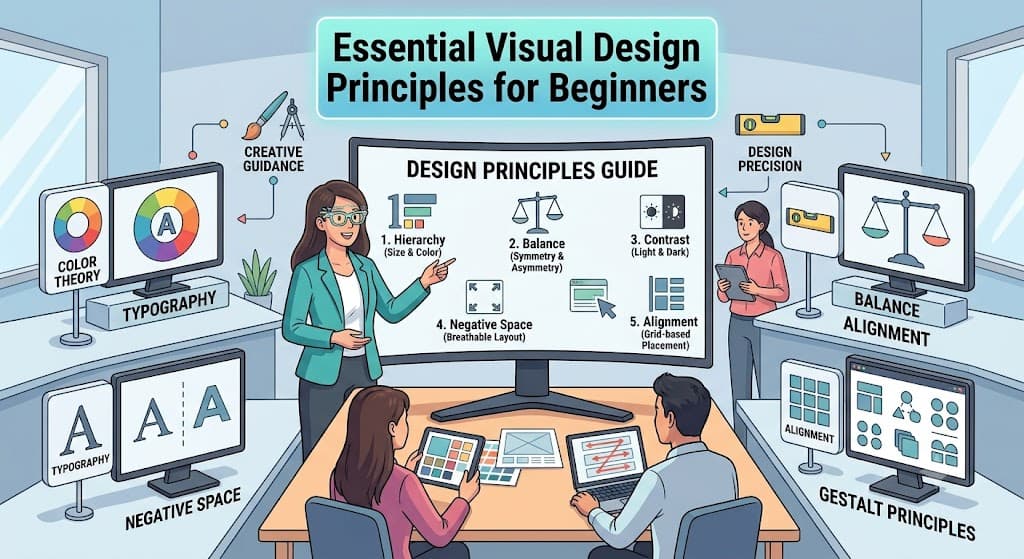
Even when using a website builder without coding, basic visual design rules help transform an average site into a modern, conversion-focused asset.
1. Maintain Clear Visual Hierarchy
Guide your visitor’s eyes to what matters most. Headline text should be clearly larger than subheadings, and primary call-to-action (CTA) buttons must stand out using high-contrast colors.
2. Embrace Negative Space (Whitespace)
Cluttered pages overwhelm readers. Give text paragraphs, images, and section containers room to breathe by adding generous padding around site elements.
3. Limit Typography and Color Palettes
Stick to two complementary font families (one for headings, one for body copy). Limit your color scheme to 1 dominant brand color, 1 secondary supporting color, and 1 bright accent color reserved for buttons.
| Color Role | Percentage Allocation | Purpose |
| Dominant Neutral | 60% | Main background and primary whitespace |
| Brand Secondary | 30% | Cards, subheadings, and navigation elements |
| Accent Color | 10% | Primary CTA buttons and key highlights |
Pro-Tips for Optimizing Visual Websites
Creating a visual site is simple, but making it fast and SEO-friendly takes careful execution.
- Compress All Media Files: High-resolution photos slow down page performance. Convert images to modern WebP format and compress them before uploading.
- Keep Mobile Layouts Vertical: Avoid placing multi-column content side-by-side on mobile displays. Stack text blocks, buttons, and graphics vertically.
- Use Native Form Elements: Always use built-in visual builder form elements rather than third-party external embeds to maintain fast site speeds.
- Set Up Custom Domain SSL: Ensure your visual builder enables HTTPS encryption for safety and better search engine visibility.
Conclusion
Mastering website designing without coding allows creators, entrepreneurs, and businesses to build stunning digital experiences quickly and independently. By choosing the right visual platform, applying clean visual design principles, and structuring content logically, you can publish a fast, mobile-friendly site without writing a single line of code. Select a visual builder today, pick a template, and launch your professional web presence!